


FlexiSpot
Comhar Standing Desk with Drawers
Comhar Standing Desk with Drawers
- Regular price
- Price: $269.99
- Regular price
- List Price: $399.99
- Sale price
- Price: $269.99
- Unit price
- per
Couldn't load pickup availability
- Free Shipping Across Canada
- 30-Day Hassle-Free Returns
- 30-Day Price Protection
- 5-Year Warranty
- Authorized Canadian Retailer
Shipping
Shipping
🚚 Free Shipping Across Canada
We offer free standard shipping on all orders across Canada. Orders to Yukon, Nunavut, and the Northwest Territories may be subject to additional carrier fees.
📦 Estimated Delivery Times
Once your order ships, typical transit times are:
• British Columbia — 1–4 business days
• Alberta — 3–4 business days
• Saskatchewan & Manitoba — 4–5 business days
• Ontario — 3–5 business days
• Quebec — 5–7 business days
• Atlantic Canada — 5–10 business days
• Northern Territories — Contact us before ordering
⏱ Order Processing
In-stock items are processed and dispatched within 1–2 business days. You'll receive two emails: one confirming your order, and one with your tracking number once it ships.
Note: Some orders may ship in multiple packages. If your order has more than one item, don't be surprised if they arrive separately — a second tracking number usually follows within 1–2 business days.
↩️ 30-Day Returns
Not happy? Return any item within 30 days of delivery in like-new condition for a full refund — no restocking fees, no return shipping charges. Items must be unused and in original packaging.
In the rare case of a defect or error on our end, we cover everything.
Questions? Reach us at orders@apexstand.ca
Price Match Guarantee
Price Match Guarantee
Found the same product cheaper at an authorized Canadian retailer? We'll match it before you buy — or refund the difference up to 30 days after your purchase.
How to claim:
Email support@apexstand.ca with your order number, a link to the competitor's page, and a screenshot of the lower price. That's it.
Full terms → Price Match Guarantee Policy


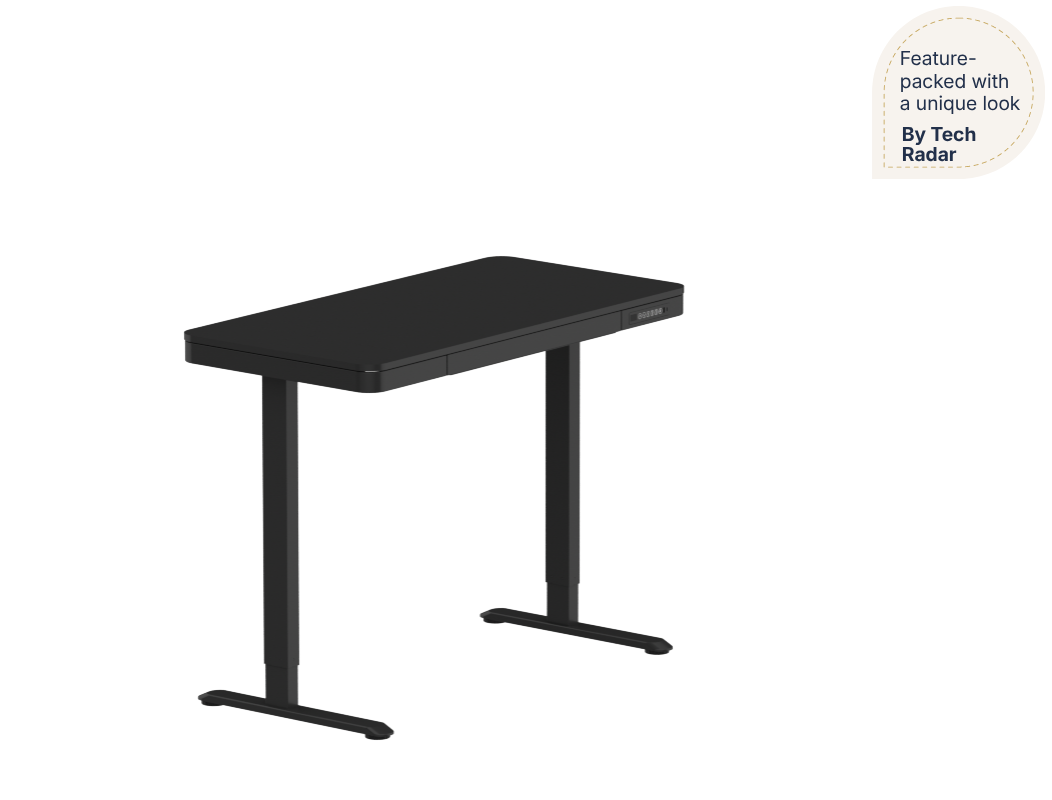
TechRadar
"A feature-packed electric standing desk with a unique look — its glass desktop feels premium while integrated storage and USB ports keep everything organised."
Comhar Review · Verdict · 2022
Comhar Standing Desk with Drawers
One desk.
Everything built in.
The Comhar is a sleek all-in-one standing desk — electric height adjustment, built-in storage drawers, three USB charging ports, and a premium desktop, all in one compact footprint. Designed for families, students, and anyone who wants a cleaner, smarter workspace.


The Ultimate Family Desk
The right height
for everyone.
From homework to work calls to creative projects — the Comhar adjusts from 28.3" to 48" to suit every member of the family. Set multiple height presets so anyone can get to their perfect position in one touch. Child-lock included for added peace of mind.
Built-In Storage
Out of sight.
Out of mind.
The Comhar's integrated storage drawers keep your desk clear without needing extra furniture. Shelve your laptop, notebooks, accessories, or any project you've put on hold — easy to access, always out of the way. A clutter-free desk, built in from day one.


3 USB Ports
Always charged.
Always ready.
Three built-in USB ports let you charge your phone, tablet, and other devices directly from the desk — no extra adapters, no extra cables cluttering the surface. Keep the momentum going without ever losing power mid-session.
Desktop Options
Make it your own.
Choose the desktop that fits your style and your space — from sleek glass to classic chipboard in maple, white, or black. Every version shares the same smart built-in features.

3-Step Setup
Up and running.
Fast.
No cryptic instructions, no missing screws, no frustration. The Comhar assembles in just three steps — straightforward enough that the kids could probably do it too. From box to desk in minutes.

Built to Perform
Numbers that matter.

Backed by Apex Stand
Apex Stand stands
behind every desk.
Full FlexiSpot warranty coverage included. If something goes wrong, Apex Stand makes it right — no runaround, no fine print surprises. Free shipping, 30-day risk-free trial, and full support included.
Smart storage. Clean design. Built for real life.
The Comhar is for anyone who wants more from their desk — more storage, more charging, more versatility — without sacrificing style or taking up more space.
Comhar
From homework hub to creative retreat — the Comhar adapts to every member of the family, every task, and every moment of the day.
- MotorSingle-motor
- Leg section2-stage
- Adjustable height28.3"-48" for 48" x 24" size, 28.9"-46.5" for 55" x 28" size
- Max static load100 lbs for 48" x 24", 110lbs for 55" x 28"
Chipboard Desktop
Glass — Smooth, premium finish that's easy to clean. Doubles as a writing surface for quick notes and ideas on the fly. Chipboard — Crafted from wood chips and adhesive resin — durable, lightweight, and available in Maple, White, or Black.
- Size 48" x 24"
- ShapeRectangular

- Size55" x 28"
- ShapeRectangular

Comhar Keypad
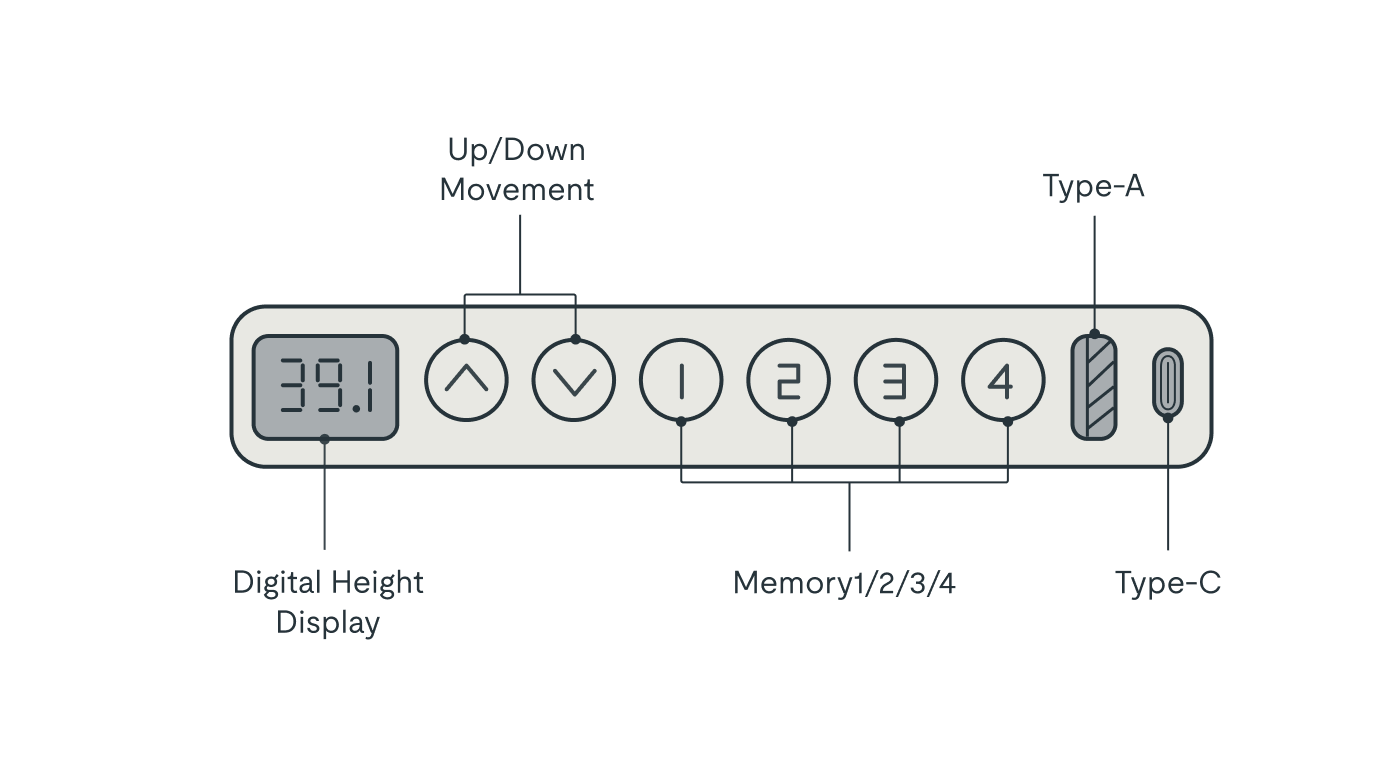
Programme your preferred sit and stand heights, charge your devices through the built-in USB ports, and lock the desk with child-lock — all from one sleek keypad.
- Memory presets Yes
- Digital height displayYes
- LED touch screenYes
- Child lockNo
- USB charging portYes
- Up/down buttonYes
Customer Reviews
Have a question?
We're Here to Help!
What warranty comes with standing desks?
Warranty coverage depends on the model:
- 15 years — frame, motor & all mechanical parts: E7, E7Q
- 5 years — frame, motor & all mechanical parts: E2, E2 Pro, E5, E8, Comhar, Q8, E1L
- 5 years — all Bamboo desktops
- 2 years — Chipboard, Fiberboard, and solid wood desktops
- 3 years — all FlexiSpot chairs
All warranties are for the original purchaser only and apply to products purchased through Apex Stand.
What does the warranty cover?
The warranty covers all defects in materials and workmanship — including motors, mechanical parts, metal components, and electrical parts. If a defect is confirmed, Apex Stand will replace the faulty parts at no cost to you. If a replacement isn't available and repair isn't practical, a full refund may be issued in exchange for the return of the product.
What is NOT covered by the warranty?
The warranty does not cover:
- Normal wear and tear
- Damage from improper installation, misuse, accidents, or negligence
- Damage from failure to follow the included instructions
- Third-party accessories or components not made by FlexiSpot
- Products with removed, damaged, or tampered labels or any unauthorized alterations
Do I pay shipping for a warranty replacement?
No — if your product is confirmed defective under warranty, Apex Stand ships the replacement to you at no charge anywhere within continental Canada via FedEx or UPS Ground. Expedited shipping is available at your expense if needed. Shipping outside continental Canada is at the buyer's cost.
How do I file a warranty claim?
Contact us at support@apexstand.ca with your Apex Stand order number and photos or a short video showing the issue. We'll open the warranty case and manage the entire process for you.
What height range do standing desks cover?
Height range varies by model and is listed on each product page. Most models accommodate users between 5'0" and 6'4" for both seated and standing work. Check the specifications tab on the product page for exact measurements.
How much weight can a standing desk hold?
Weight capacity varies by model — from 154 lbs on entry-level frames up to 355 lbs on premium models. Each product page lists the exact capacity. Most models comfortably hold dual monitors, a laptop, speakers, and accessories.
What desktop materials are available?
Desktops are available in four materials:
- Chipboard — practical, smooth, budget-friendly, great for everyday use
- Bamboo — 6× stronger than solid wood, scratch and water resistant, chemical-free
- Rubberwood — real hardwood, warm grain, dense and sustainably sourced
- Fiberboard — fine-fiber construction, refined curved edge, built to last
Available materials vary by desk model and are shown on each product page.
Do the desks have memory presets?
Most models include a digital keypad with up/down controls, a height display, and programmable memory presets. Save your ideal sitting and standing heights and switch between them instantly with one button. Keypad details are listed on each product page.
How long does assembly take?
- Standing desks: 30–45 minutes. A second person is recommended for attaching the desktop on larger sizes.
- Office chairs: 10–20 minutes, straightforward with included instructions.
- Accessories: 5–15 minutes, minimal tools required.
All products include a printed instruction manual. Need help? Email us at support@apexstand.ca.
How do I reset my standing desk?
If your desk is unresponsive or behaving unexpectedly:
- Unplug the desk from the wall
- Wait 30 seconds, then plug back in
- Press and hold the Down button for 10–15 seconds until the desk fully lowers and the display resets
Still not working? Email support@apexstand.ca with your order number and a short video — we'll troubleshoot with you directly.
How do I place, track, or change my order?
- Place an order: Add to cart and check out at apexstand.ca. Need help choosing? Call (514) 447-7026 or email support@apexstand.ca
- Track your order: A tracking link is emailed within 24 hours of shipping. Allow up to 24 hours for tracking movement to appear.
- Change your order: Contact us within 48 hours of placing your order. Changes after 48 hours may incur a $20 CAD admin fee.
What is the return policy?
We accept returns within 30 days of delivery on items in original condition and original packaging. To start a return, email returns@apexstand.ca and we'll walk you through the process. Refunds are issued to your original payment method within 3–5 business days of receiving and inspecting your return. Return shipping is the buyer's responsibility unless the item arrived damaged or defective.
When can I reach customer support?
Our team is available Monday – Friday, 9am – 5pm EST.
📧 support@apexstand.ca
📞 (514) 447-7026
We aim to respond to all emails within 1 business day. For urgent issues, calling is the fastest option.
Why Shop with Apex Stand
-

Curated for Quality
Every product is hand-selected for durability, ergonomics, and design — no compromises.
-

Canadian Business
We're proudly based in Toronto, ON — serving Canadians coast to coast in CAD pricing.
-

Fast, Free Shipping
Free shipping on every order across Canada via Canada Post, FedEx & UPS.
-

Real Customer Support
Reach a real person by phone or email — before, during, and after your purchase.
-

Price Match Guarantee
Find it cheaper? We match it — up to 30 days after your purchase date.
-

Warranty That Actually Means Something
Up to 15 years on frames and motors. If something's wrong, we make it right — no runaround.


